Photos and color charts come out, and black text does not. That split is useful. The printer, the USB or Wi-Fi path, and the color cartridges are working. Black ink, the black nozzles, or a setting that skips the black cartridge is what failed.
Print a nozzle check before you buy ink
Use the printer menu or the brand utility and print a nozzle check. Do not use a Word document for this test.
- Black pattern missing, color patterns complete — black cartridge, black nozzles, or a tape strip still on a new black cartridge.
- Every pattern complete — the printer can lay down black. The document or the driver setting is the problem.
- Black and one color missing — treat it as a head or seating issue, not “black ink only.”
Reseat black, then clean once
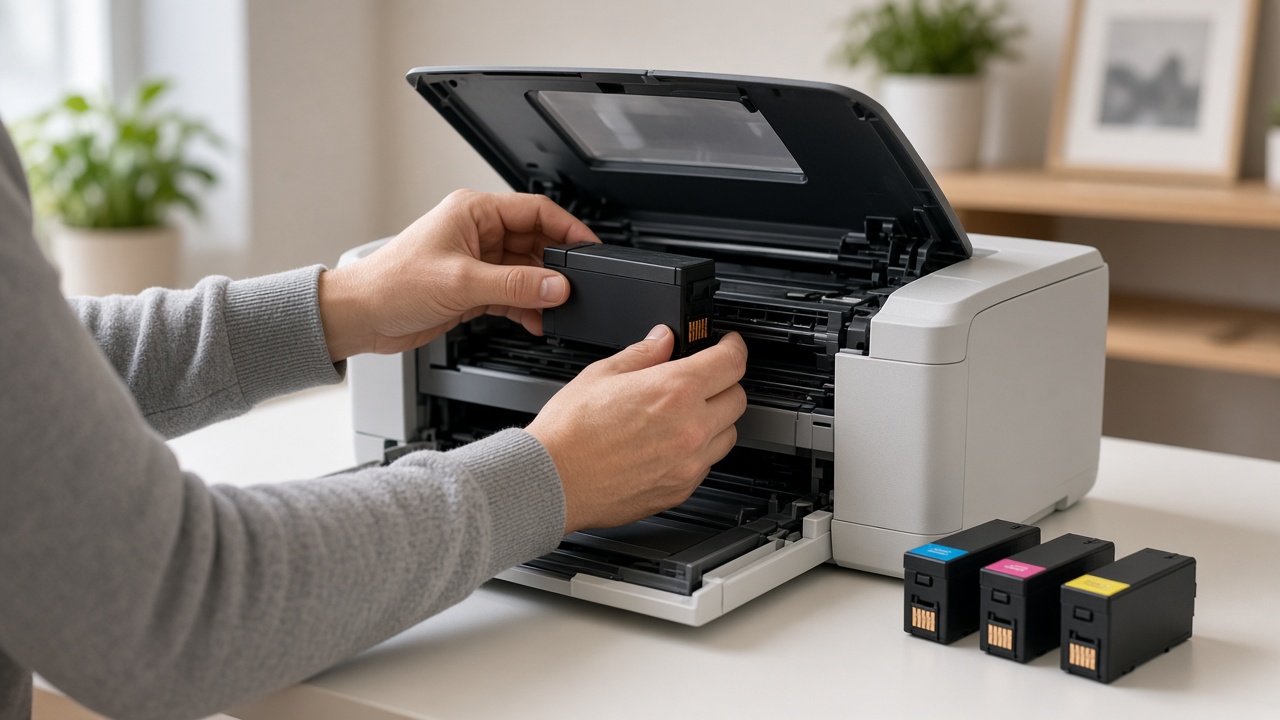
- Open the cartridge door and remove the black cartridge.
- Confirm the plastic tape is off the contacts and the nozzle area.
- Seat it again until the printer acknowledges it. A cartridge that rocks in the slot is not in.
- Close the door.
- Run one cleaning cycle aimed at black if the menu allows it.
- Print the nozzle check again.
If black lines return, print a one-line note from the computer. If the check is still blank in the black row, replace that black cartridge only when the level or the chip says it is empty or unrecognized. A full cartridge with a dead chip will not print.
On tank printers, confirm the black tank is filled above the minimum line and the tank cap is closed. Then run the same single clean.
When the nozzle check is fine
The computer is not asking for black ink.
- In the print dialog, turn off a mode that prints black using only color ink, sometimes called composite black.
- Print a normal document, not grayscale photo mode, and look at a line of text.
- If text is light gray instead of missing, you are in draft or the black level is low — that is different from a blank black row on the nozzle check.
Laser printers do not use a color-versus-black ink split the same way. If a color laser prints color and skips black, reseat the black toner. If a mono laser skips text, the job may be printing in a color the toner cannot make, or the drum is not engaged. Print the printer’s own test page.
What not to do
- Do not buy a full color set because black text failed.
- Do not run five deep cleans. Each one dumps ink into the maintenance area.
- Do not reinstall Windows while the nozzle check already shows a missing black pattern.
If a new, taped-off, fully seated black cartridge still leaves a blank row on the nozzle check, the printhead may need service. Call +1 888 759 4448 before you order a second cartridge.
Frequently asked questions
Why does color print when black does not?+
Black is a separate cartridge or nozzle row. It can be empty, unseated, or clogged while the color cartridge is fine. The driver can also be set to print black with color ink only.
Should I replace all the cartridges?+
No. Print a nozzle check first. If only the black pattern is missing, reseat or replace the black cartridge. Leave the color cartridges alone if their pattern is complete.
The black cartridge is new and text is still blank. What now?+
Remove the tape from the contacts, seat the cartridge until it clicks, and run one cleaning cycle. A new cartridge that is not recognized never prints, no matter how full it is.
Can a software setting disable black?+
Yes. Grayscale, “black ink only,” or a composite-black option changes how black is made. Set a normal color document to print text in black and send a one-line test after the nozzle check passes.
How many cleaning cycles are safe?+
One, then a nozzle check. A second clean is reasonable if black lines are still missing. More than that uses the ink you just installed and rarely fixes a dried printhead.